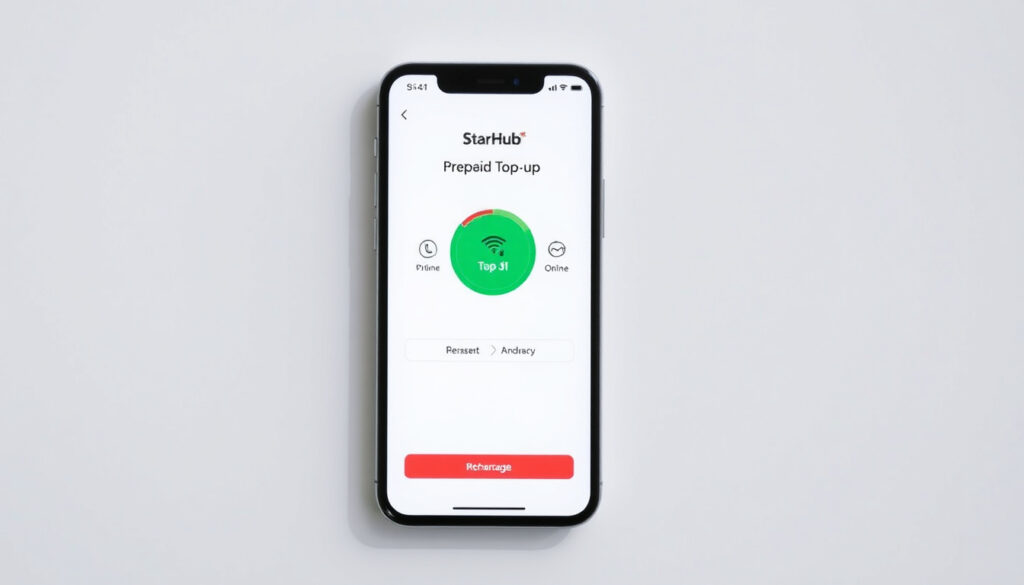
StarHub Prepaid Top Up: How to Add Credit Online & App Guide
If you’re running low on credit in Singapore, topping up your StarHub prepaid line is easier than you might think—especially if you use the official app. The StarHub Prepaid App lets you add credit anytime, and the best part: using the app costs you zero data charges. Plans start from $10/month, making this one of the most accessible options for staying connected on your own terms. StarHub’s prepaid plans are a practical choice for visitors, secondary users, or anyone who prefers not to lock into a contract.
Minimum top-up amount: $10 · Top-up options: App, AXS Stations, 7-Eleven · Plans start from: $10/month · App availability: StarHub Prepaid App on Google Play · Data add-ons: Available via app
Quick snapshot
- Top up via app, AXS, 7-Eleven (StarHub Prepaid Plans)
- No contract — cancel anytime (StarHub Official)
- 120-day grace after expiry (StarHub Prepaid Plans)
- Exact expiry grace period nuances (StarHub Prepaid Plans)
- Unlimited data availability details (StarHub Prepaid Plans)
- Plan expiry triggers 120-day countdown (StarHub Prepaid Plans)
- Switch to All-New Prepaid completes within minutes (StarHub Support)
- Top up to restore full service (StarHub Prepaid Plans)
- Number recycled after 120-day grace (StarHub Prepaid Plans)
| Field | Details |
|---|---|
| Provider | StarHub Singapore |
| Min Top-up | $10 |
| App Name | StarHub Prepaid App |
| Key Outlets | AXS, 7-Eleven |
| Plans Start | $10/month |
How to top up Prepaid card StarHub?
Three main channels get credit onto your StarHub prepaid line: the official app, physical kiosks and convenience stores, and third-party online platforms. Each has its own workflow and processing time.
Top up via StarHub app
- Open the StarHub Prepaid App and log in with your prepaid mobile number
- Navigate to the Pay section and select Top Up
- Choose your recharge amount (minimum $10) and confirm
- Complete payment using a linked credit or debit card
StarHub processes payments through Mastercard, Visa, or Amex. Once you confirm, credit arrives instantly on your line. The app delivers a confirmation SMS immediately after processing.
Top up at AXS Stations or 7-Eleven
- Visit any AXS Station or 7-Eleven outlet in Singapore
- Select StarHub Prepaid and enter your mobile number
- Hand over cash payment to the cashier or kiosk
- Receive your recharge receipt and wait for the SMS confirmation
This option works well if you prefer paying with cash or don’t have a credit card handy. Processing typically completes within a few minutes.
Online top up options
- Third-party platforms like SEAGM (third-party recharge service) offer instant top-ups using PayPal or credit card
- MobileRecharge (online top-up platform) provides another instant option for Singapore StarHub numbers
Third-party services process transactions outside StarHub’s own infrastructure, so review any associated fees before proceeding.
For most users in Singapore, the official StarHub app is the fastest and most direct route — no cash needed, no waiting in line, and credit lands on your line the moment you hit confirm.
The implication: choosing the official app eliminates intermediary steps and ensures your credit arrives with minimal delay.
How do I check my StarHub Prepaid balance?
The StarHub Prepaid App serves as your primary dashboard for checking both call credit and data balance. The app is available on iOS and Android, and using it carries zero data charges — you can check as often as you like without worrying about eating into your data allowance.
Check via StarHub app
- Log in to the StarHub Prepaid App with your prepaid mobile number
- Your current balance appears on the main dashboard immediately
The app dashboard displays your available call credit and data balance in plain view. The interface is described as clean and fuss-free, making it straightforward to read your balance at a glance.
Check data balance steps
- Tap on Mobile Dashboard within the app
- View your daily and monthly data usage
- Access transaction history for the past 30 days if you need a detailed breakdown
Singapore visitors using a local SIM who need to monitor their data while traveling should check the Mobile Dashboard regularly — data pauses once it runs out, but your number stays active for calls.
Can you add data to a Prepaid plan?
Yes — once you have credit on your line, you can purchase additional data bundles through the StarHub app at any time. The process requires topping up your line first, then selecting the data add-on you want.
Add data via app
- Log in to the StarHub Prepaid App
- Navigate to Manage plan within the dashboard
- Select your preferred data add-on bundle
- Confirm purchase — the data activates immediately
For users who stream video, use navigation apps, or work on the go, buying data bundles as needed keeps you in control without paying for data you won’t use.
Manage plan and add-ons
- The app lets you view all available plan tiers and their inclusions
- You can upgrade, downgrade, or switch plans directly from your dashboard
- StarHub offers three prepaid tiers (S, M, and L), each with different local minutes, IDD minutes, and roaming data allocations
Does StarHub still have a Prepaid card?
Yes. StarHub continues to offer prepaid plans, and they remain a practical option for visitors, secondary users, and anyone who prefers not to commit to a contract. The service is available at StarHub stores, authorised resellers, and convenience outlets island-wide.
Current prepaid plans
- The Prepaid S plan offers 500 local minutes, up to 100 IDD minutes, and 1GB roaming data to Malaysia — from $10/month
- The Prepaid M plan includes 1,000 local minutes, up to 500 IDD minutes, and 3GB roaming data to 6 destinations
- The Prepaid L plan provides 5,000 local minutes, up to 1,000 IDD minutes, and 8GB roaming data to 6 destinations
The M and L plans offer roaming data to 6 destinations, making them solid choices for business travelers or frequent visitors to neighboring countries. Check whether your destinations fall within the roaming coverage before choosing a plan.
Plans from $10/month
- All StarHub prepaid plans require an upfront top-up of at least $10 to activate
- There is no minimum commitment period — you can cancel, upgrade, or downgrade at any time with no exit fees
- Auto-Renewal can be enabled in the app’s Mobile Dashboard to handle monthly renewals automatically
Prepaid users get flexibility and no lock-in, but they need to actively manage their credit. If you’re someone who forgets to top up, set up Auto-Renewal in the app — it costs nothing extra and keeps your line running without manual intervention.
What this means: the tiered structure gives Singapore users a clear path from occasional use to heavy data consumption, with roaming benefits scaling up for those who travel frequently.
What happens if my StarHub prepaid expires?
After your plan expires, StarHub gives you a 120-day grace period before the line is terminated. During this window, you can still receive calls and SMS, but data and other services are suspended until you top up.
Prepaid number re-registration
- If your line has been terminated due to non-payment, you will need to re-register as a new customer to continue using StarHub
- The original mobile number cannot be reclaimed once the 120-day grace period has passed
Renewal after expiry
- Simply top up your line using the app, AXS Station, or 7-Eleven to restore full service
- The system reactivates your line automatically after receiving the top-up credit
- All features — calls, SMS, and data — resume within minutes of processing
For users considering a switch, StarHub’s All-New Prepaid upgrade can be completed directly through the app and typically finishes within minutes. Your existing credit balance transfers over and remains available for future payments.
If you let 120 days pass without topping up, your number is recycled and you lose it permanently. For anyone relying on their StarHub number for important accounts or contacts, set a reminder or enable Auto-Renewal to avoid this outcome.
Steps: How to top up your StarHub Prepaid line
- Open the StarHub Prepaid App — download it from Google Play or the Apple App Store if you haven’t already
- Log in with your prepaid mobile number — use your registered number to access your account
- Navigate to Pay > Top Up — select the Top Up option within the Pay section
- Choose your amount — select $10 or more based on how much credit you need
- Enter your card details — Mastercard, Visa, or Amex accepted; confirm payment
- Wait for SMS confirmation — your credit arrives instantly and your line is ready to use
The entire process from opening the app to having credit on your line takes under two minutes if your card details are already saved. If you don’t have the app, visiting a 7-Eleven or AXS Station gets the job done just as quickly — you’ll just need cash instead.
Confirmed facts
- Top up via app and outlets
- Plans from $10
- App free of data charges
- No contract — upgrade or cancel anytime
- 120-day grace period after expiry
What’s unclear
- Exact expiry grace period nuances
- Unlimited data availability details
An all-new StarHub Prepaid App that lets you manage your prepaid account with ease, anytime, anywhere. And you can use it without any data charges.
— StarHub (Official App Description)
At your plan expiry, you’ll enter a 120-day grace period.
— StarHub (Prepaid Plans Page)
Related reading: GP Clinic Near Me Singapore · Children’s Museum Singapore Tickets Prices and Booking Guide
StarHub users in Singapore can explore similar convenience abroad through the Three Ireland top-up guide, featuring app recharges with zero data fees.
Frequently asked questions
How do I top up Happy Prepaid Card?
Open the StarHub Prepaid App, go to Pay > Top Up, select your amount, and confirm with a credit or debit card. Cash top-ups are also available at 7-Eleven, AXS Stations, and authorised resellers.
How long will 25 GB of data last?
25 GB of data typically lasts 2–4 weeks for an average user who streams video occasionally and uses social media. Heavy users who stream HD video daily may exhaust it in under a week. The StarHub Prepaid App lets you monitor daily and monthly usage to gauge your consumption.
Can I get unlimited data on prepaid?
StarHub’s prepaid plans offer data bundles rather than unlimited data. You purchase add-ons as needed through the app. For heavy data users, consider the higher-tier prepaid plans or explore whether a postpaid plan better suits your usage pattern.
What is the StarHub prepaid top up number?
To top up, you don’t dial a number — you use the StarHub Prepaid App or visit a physical outlet. The app lets you top up using your registered prepaid mobile number as your account identifier.
How to top up StarHub prepaid $10?
Open the app, go to Pay > Top Up, select $10 as your amount, and confirm with your card. You can also tell any 7-Eleven cashier or AXS Station operator that you’d like to top up $10 on your StarHub prepaid line.
How to use StarHub prepaid top up app?
Download the StarHub Prepaid App from Google Play or the Apple App Store, log in with your mobile number, go to Pay > Top Up, choose your amount, and confirm payment. Your credit loads instantly. Using the app itself costs zero data charges.
More related posts
 2 Room Flexi BTO Price – 2024 Prices Eligibility Guide
 POSB Cheque Deposit Near Me: Locations, Fees & New Rules
 Baa Baa Black Sheep: History, Controversy, and Lyrics
 Brown Rice vs White Rice: Which Is Healthier? Comparison
 Chinese New Year Snacks – Traditions, Recipes and Symbolism
 Lee Hsien Loong’s Sons: Facts About Li Hongyi and Li Yipeng
 Chelsea F.C. Players: Squad, Salaries & Stars 2025
 East Point Mall Food: Directory, Halal & Bubble Tea Guide