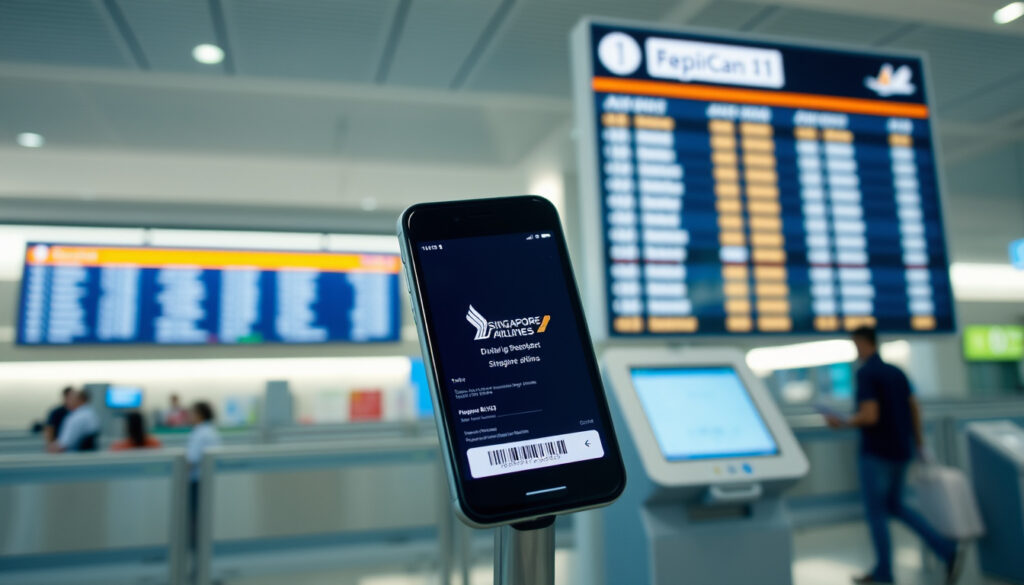
Singapore Airlines Online Check-In: How to, Times & Boarding Pass
There’s a small ritual every Singapore Airlines regular knows: that 48-hour window when the seat map opens and the trip starts feeling real. Online check-in opens 48 hours before most flights and closes 90 minutes before an international departure — and the details matter more than most travellers expect (Singapore Airlines (official check-in guide)). Here’s what to do, what to watch for, and when the airport counter is still the right call.
Online check-in opens: 48 hours before departure for most flights · Check-in closes (International): 90 minutes before departure · Check-in closes (Domestic/Regional): 60 minutes before departure · Mobile boarding pass accepted at: over 80 airports globally
Quick snapshot
- Online check-in opens 48 hours before most flights, with mobile passes available until 1 hour before departure (Singapore Airlines (official check-in guide)).
- Check-in closes 90 minutes before international flights and 60 minutes before regional flights (Singapore Airlines (carrier’s check-in FAQ)).
- For US-bound flights, boarding passes open at 24 hours before departure (Singapore Airlines (official check-in guide)).
- Whether a screenshot of a mobile boarding pass is accepted varies by airport and local security rules (Singapore Airlines (official check-in guide)).
- Exact windows for less common routes can differ; the US 24-hour rule is the published exception (Singapore Airlines (official check-in guide)).
- 48 hours before departure: online and mobile check-in open (Singapore Airlines (official check-in guide)).
- 24 hours before: US-bound boarding passes and Singapore airport kiosks become available (Singapore Airlines (airport check-in page)).
- 90 minutes before: online check-in closes for international departures; the airport counter takes over (Singapore Airlines (carrier’s check-in FAQ)).
- Generate a PDF or mobile boarding pass before leaving for the airport (Singapore Airlines (carrier’s check-in FAQ)).
- If you have checked bags, use the bag-drop counter or an eligible kiosk to tag and drop them (Singapore Airlines (airport check-in page)).
- If online check-in fails, arrive early and get your boarding pass at the departures counter (Singapore Airlines (carrier’s check-in FAQ)).
Key facts at a glance
Ten policy points, one pattern: the carrier has standardised the check-in window, then carved out exceptions for specific routes and passenger types.
| Policy point | Official value |
|---|---|
| Online check-in opens | 48 hours before departure for most flights (Singapore Airlines official check-in guide) |
| Website boarding pass window | From 48 hours until 1.5 hours before departure (Singapore Airlines official check-in guide) |
| Mobile boarding pass window | From 48 hours until 1 hour before departure (Singapore Airlines official check-in guide) |
| US-bound flights | Boarding passes from 24 hours before departure (Singapore Airlines official check-in guide) |
| Online check-in closes — international | 90 minutes before departure (Singapore Airlines carrier’s check-in FAQ) |
| Online check-in closes — regional | 60 minutes before departure (Singapore Airlines carrier’s check-in FAQ) |
| Mobile boarding pass accepted at | Over 80 airports globally (Singapore Airlines official check-in guide) |
| Printing required? | No; digital or mobile passes are standard, but some departure cities still require paper due to local rules (Singapore Airlines carrier’s check-in FAQ) |
| Unaccompanied minors under 18 | Not eligible for online or mobile check-in (Singapore Airlines official check-in guide) |
| Airport kiosks (Singapore) | Open from 24 hours before departure; machine-readable passport required (Singapore Airlines airport check-in page) |
The pattern is consistent: the 48-hour window is the rule, and the published exceptions exist for specific routes and passenger types — so checking your own booking remains the final step.
When can I check-in online for Singapore Airlines?
The standard window is generous: 48 hours before departure for most flights. What catches people out is the closing time, which depends on where you’re flying.
Online check-in opening times
- Online and mobile check-in opens 48 hours before scheduled departure on most routes (Singapore Airlines official check-in guide).
- For flights to the United States, boarding passes are available from 24 hours before departure instead of 48 (Singapore Airlines official check-in guide).
- Website boarding passes can be generated from 48 hours until 1.5 hours before departure, while mobile-app boarding passes run until 1 hour before departure (Singapore Airlines official check-in guide).
Check-in closing times for international flights
- Online check-in closes 90 minutes before an international departure; after that point, the airport counter is the only option (Singapore Airlines carrier’s check-in FAQ).
- If your return flight departs within 24 hours of your outbound flight, the carrier lets you check in for both flights at the same time (Singapore Airlines official check-in guide).
Check-in closing times for domestic/regional flights
- For regional services, online check-in stays open until 60 minutes before departure (Singapore Airlines carrier’s check-in FAQ).
- At Singapore’s airports, kiosk check-in opens 24 hours before departure and can print boarding passes and baggage tags for eligible passengers (Singapore Airlines airport check-in page).
The implication is practical: check in when the window opens and you get the full seat map plus a clear boarding-pass answer. Wait until the last hour, and you’re back to relying on the counter.
How to check-in online with Singapore Airlines?
You can check in on the website or in the SingaporeAir app. Both follow the same sequence: booking reference plus last name, then seat and baggage confirmation.
Check-in via website
- Go to singaporeair.com and open the online check-in page.
- Enter your booking reference (PNR) and last name as printed on the ticket (Singapore Airlines carrier’s check-in FAQ).
- Confirm your flight details, select a seat, and verify baggage details (Singapore Airlines official check-in guide).
- Generate the boarding pass as a PDF and save it, or have it sent to your email (Singapore Airlines carrier’s check-in FAQ).
Check-in via SingaporeAir mobile app
- Open the SingaporeAir mobile app on your phone.
- Enter the same booking reference and last name used on the website.
- Confirm seats and baggage, then complete check-in.
- Your mobile boarding pass appears in the app; mobile passes are available from 48 hours until 1 hour before departure (Singapore Airlines official check-in guide).
Using PNR number and last name
- Your PNR is the booking reference printed on your e-ticket receipt — the code the system asks for at check-in (Singapore Airlines carrier’s check-in FAQ).
- Type it exactly as printed and use the last name from the booking; a name mismatch or a typo can block the form before you reach the seat map.
- If you can’t find the PNR, check the confirmation email from Singapore Airlines or the booking portal where you bought the ticket.
The seat map is the quiet reason to check in early. By the time the airport counter opens, the seats most passengers want have usually been picked up by travellers who completed online check-in the moment the window opened.
The pattern: online check-in works for standard bookings, but the fallback is always the airport counter.
Why am I unable to check-in online and what to do?
Online check-in is reliable for standard bookings, but it’s not available to every passenger on every route. The blocking reasons fall into a few predictable categories.
Common error messages
- A name mismatch or a typo in the booking can block online check-in before you reach the confirmation step; double-check the PNR and last name against the e-ticket (Singapore Airlines official check-in guide).
- If a preceding flight in the same booking hasn’t been checked in yet, online check-in may not be available for the later flight (Singapore Airlines official check-in guide).
- When the portal won’t move forward, the fallback is straightforward: arrive early and check in at the airport counter on departure day (Singapore Airlines carrier’s check-in FAQ).
Special assistance requirements
- Passengers with special service requests, such as wheelchair assistance, typically need to complete check-in at the airport rather than through the app (Singapore Airlines official check-in guide).
- The published eligibility rule excludes unaccompanied passengers below 18 from online check-in (Singapore Airlines official check-in guide).
- If your booking includes a special request, plan for an earlier airport arrival so the counter team can process the paperwork.
Unaccompanied minors and group bookings
- Unaccompanied minors under age 18 are not eligible for online or mobile check-in; the airport counter handles these bookings (Singapore Airlines official check-in guide).
- Group bookings above nine passengers may need to be checked in manually, so the portal isn’t always available for every name on one itinerary.
- If one passenger in a group can’t check in online, the whole party should plan for the counter rather than splitting up.
Unaccompanied minors and special-assistance bookings can’t be fixed by retyping the PNR. The only remedy is the airport counter, which means the time saved by online check-in simply doesn’t exist for those travellers.
The implication: knowing the block type determines whether you can fix it online or need to arrive early at the counter.
How do I get and use my boarding pass after online check-in?
Singapore Airlines recognises four boarding-pass formats, and the one you’ll use depends on your departure city and local rules.
Digital boarding pass options
- The four formats are airport-counter printouts, PDF digital boarding passes, mobile-app boarding passes, and kiosk boarding passes where available (Singapore Airlines carrier’s check-in FAQ).
- Website and app check-in produces the PDF or mobile version, which you can save, email, or keep in the SingaporeAir app (Singapore Airlines carrier’s check-in FAQ).
- Mobile or digital pass availability depends on the departure city and regulatory requirements, so the same route can behave differently at different airports (Singapore Airlines official check-in guide).
Printing requirements
- Printing is optional in most cases; the carrier says downloading or generating a boarding pass before reaching the airport reduces time in the check-in-counter queue (Singapore Airlines carrier’s check-in FAQ).
- Some travellers won’t be able to generate a digital or mobile pass at all because of regulatory requirements, and those passengers should collect a printed pass at the airport counter on departure day (Singapore Airlines official check-in guide).
- Where kiosks are available, you can print a boarding pass after completing online check-in (Singapore Airlines carrier’s check-in FAQ).
Using mobile pass at security and gate
- Mobile boarding passes are accepted at more than 80 airports globally, so the phone is enough at most gate areas (Singapore Airlines official check-in guide).
- Whether a screenshot of the mobile pass is accepted varies by airport and security rules; the safe move is to keep the live pass open in the SingaporeAir app.
- If a mobile pass isn’t accepted at your airport, use a PDF copy or stop at a kiosk or counter to print one before security.
Digital works almost everywhere, but “almost” is doing real work. Regulatory requirements — not the airline’s systems — decide whether your phone is enough at the gate.
The pattern: having a backup option is the difference between a smooth security line and a last-minute scramble.
Is it better to check-in online or at the airport?
For most travellers, online check-in is the better default: it takes minutes, it settles your seat ahead of the crowd, and it removes one queue from departure morning. But the airport counter isn’t obsolete — it’s the safety net for every itinerary that doesn’t fit the standard profile.
Four scenarios, one pattern: online check-in wins whenever the booking is standard, and the airport counter wins whenever it isn’t.
| Scenario | Online check-in | Airport check-in |
|---|---|---|
| Time on departure day | A few minutes on your phone or laptop; then bag drop if needed | Time in the counter queue; then security |
| Seat choice | Full seat map at the 48-hour mark (Singapore Airlines official check-in guide) | Only seats left after other passengers checked in |
| Baggage | Checked bags still require the bag-drop step | Bags are tagged and dropped at the counter |
| Eligibility limits | Not available to unaccompanied minors, some special-assistance bookings, or large groups (Singapore Airlines official check-in guide) | Available to every passenger with a confirmed booking |
Upsides
- Less time at the airport: generating a boarding pass before you arrive reduces check-in-counter queue time (Singapore Airlines carrier’s check-in FAQ).
- Seat selection happens while the seat map is at its fullest, 48 hours out.
- The whole process takes minutes on the website or app, with no separate fee listed in the carrier’s guidance (Singapore Airlines carrier’s check-in FAQ).
- Mobile and PDF passes work at more than 80 airports, so most travellers never touch a printer (Singapore Airlines official check-in guide).
Downsides
- Not available for some passengers and routes: unaccompanied minors, special-assistance bookings, and certain departure cities (Singapore Airlines official check-in guide).
- US-bound flights only open at 24 hours, halving the planning buffer.
- Checked bags still mean a queue — online check-in doesn’t remove the bag-drop step.
- Screenshot acceptance varies by airport, so the phone isn’t a universal boarding pass.
When to choose each
- Choose online check-in for standard itineraries, hand-luggage-only trips, and any flight where seat choice matters.
- Choose the airport counter for special assistance, unaccompanied minors, group bookings above nine, or any booking the app rejects.
- If you’re flying to the US, set a reminder at the 24-hour mark — that’s when your window opens.
The trade-off comes down to risk. Online check-in costs minutes and removes morning-of uncertainty; the airport counter costs time and removes the eligibility question. For most Singapore Airlines flyers, the first trade is the right one.
The implication: match the check-in method to your booking type to avoid surprises at the airport.
Singapore Airlines check-in timeline
The check-in process runs on two clocks: one that starts at booking, and one that starts at the airport.
- 48 hours before departure — online and mobile check-in open for most flights (Singapore Airlines official check-in guide).
- 24 hours before departure — boarding passes become available for US-bound flights, and Singapore airport kiosks open (Singapore Airlines official check-in guide; Singapore Airlines airport check-in page).
- 90 minutes before departure — online check-in closes for international flights; the airport counter takes over (Singapore Airlines carrier’s check-in FAQ).
- 60 minutes before departure — online check-in closes for regional flights (Singapore Airlines carrier’s check-in FAQ).
- At the airport — bag drop if you have checked luggage, then security and the gate.
The implication: the 48-hour window is the planning phase, and the final 90 minutes are the hard deadline. Treat the two clocks as one and you won’t be the passenger running through the terminal.
What’s confirmed and what still varies
A quick reality check on which parts of the process are settled policy and which depend on your airport, route, or booking.
- Online check-in opens 48 hours before most flights and closes 90 minutes before international departures (Singapore Airlines official check-in guide).
- Mobile boarding passes are accepted at over 80 airports globally (Singapore Airlines official check-in guide).
- Unaccompanied minors under 18 are not eligible for online check-in (Singapore Airlines official check-in guide).
- If online check-in fails, the airport counter remains available on departure day (Singapore Airlines carrier’s check-in FAQ).
- Whether a screenshot of the mobile pass is accepted varies by airport and security rules; check your departure city before relying on a saved image (Singapore Airlines (official check-in guide)).
- Exact windows for specific routes can differ — the US 24-hour rule is the published exception, and other departure cities may apply their own limits under local regulations (Singapore Airlines official check-in guide).
What this means: the confirmed list covers most travellers, but the “varies” list is exactly where problems show up. If your departure city isn’t a major hub, verify the mobile-pass rule before you skip the printer.
What Singapore Airlines says about online check-in
Two official explanations settle common confusions before they cost you time at the airport.
“Online / Mobile check-in means checking in for your flight through our website or SingaporeAir mobile app.”
Singapore Airlines — official check-in FAQ
“If you are returning within 24 hours of your departing flight, you can check in for both flights at the same time.”
Singapore Airlines — check-in policy page
The second line is the hidden gem: a same-trip return within 24 hours means one check-in covers both flights, which saves regulars from doing the process twice.
The takeaway for your next Singapore Airlines flight
Online check-in is the default for a reason: the window opens early, the digital passes work at most of the carrier’s airports, and the whole process fits into a few minutes. The exceptions are real — unaccompanied minors, some special-assistance bookings, US-bound flights, and airports that still want paper — and they’re easier to handle when you know about them before departure day. For anyone flying Singapore Airlines in the coming months, the choice is clear: check in when the 48-hour window opens, keep the live pass in the app, and treat the airport counter as a deliberate fallback rather than a surprise.
Related reading
- Universal Studios Singapore Tickets: Prices, Tips & Best Deals
- Marina Bay Street Circuit: F1 Track Guide & Visitor Info
singaporeair.com, singaporeair.com, singaporeair.com, singaporeair.com, singaporeair.com, singaporeair.com
Frequently asked questions
Can I change my seat after online check-in?
Seat selection happens during online check-in while the seat map is at its fullest. If you’ve already checked in and want a different seat, availability decides whether a change is possible; the app and website only show seats that remain open. For the best choice, complete check-in close to the 48-hour mark rather than waiting.
Does online check-in allow me to add baggage?
Online check-in lets you confirm your baggage details, but it doesn’t replace the bag-drop step. If you have checked luggage, you’ll still visit the bag-drop counter at the airport, where kiosks can also print boarding passes and baggage tags at participating airports.
How do I check in for a child traveling alone?
Unaccompanied passengers below age 18 are not eligible for online or mobile check-in under Singapore Airlines’ stated rule. These bookings are processed at the airport counter, so plan to arrive with extra time and the required travel documents.
What documents do I need at the airport if I checked in online?
Bring your passport and any visa or entry documents required by your destination. At Singapore airport kiosks, check-in requires a machine-readable passport, a visa where applicable, and a confirmed booking before boarding passes and baggage tags can be printed.
Can I check in online if I have a connecting flight?
If a preceding flight in the same booking hasn’t been checked in, online check-in may not be available for the later flight. One useful exception: if your return flight departs within 24 hours of your outbound flight, you can check in for both flights at the same time.
Is online check-in free for all passengers?
Online check-in is the standard check-in channel on the Singapore Airlines website and app, and the carrier’s official guidance lists no separate fee for using it. The limits that exist are passenger-based and route-based, not payment-based.
What if my boarding pass has an error?
If your boarding pass can’t be generated or downloaded, or if the details don’t match your passport, the airport check-in counter on departure day is the fix. The carrier’s guidance is explicit that passengers in this situation can obtain a boarding pass at the counter.
More related posts
 1 Singapore Dollar in Indian Rupees Today: SGD to INR Rate
 Hình nền iPhone 15 Pro Max 4K đẹp: 500+ Free 4K Wallpapers
 Kegel Exercises for Men: Benefits and 4-3-2 Method
 Istana Open House 2026 – Dates, Fees and Visitor Guide
 Weather Forecast Bukit Timah: Hourly, 7-14 Day Outlook
 Best Resort in Bintan: Family & All-Inclusive Picks
 2000 HKD to SGD: Live Rate and Fee Conversion Guide