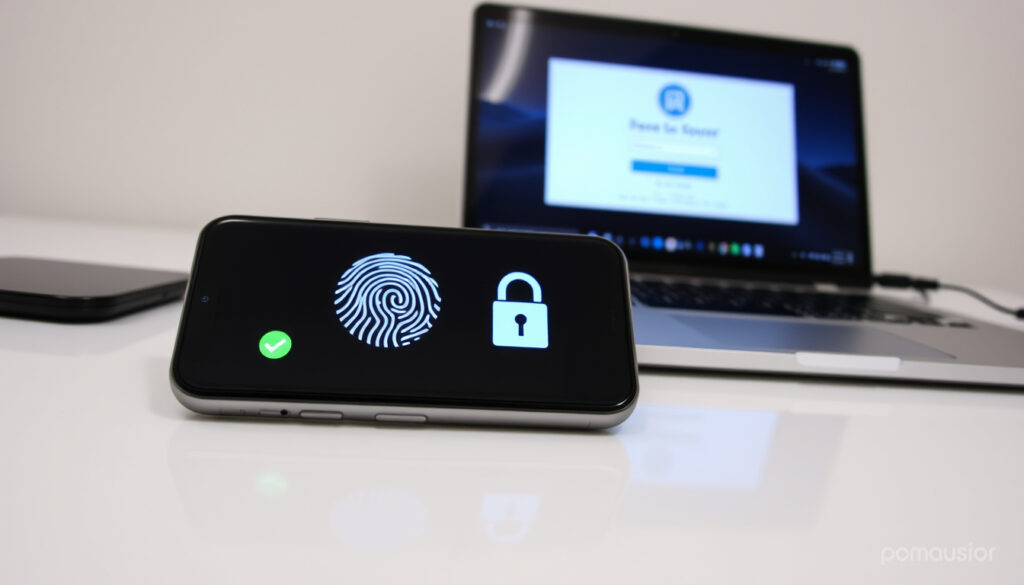
What is Passwordless Login? How It Works & Why More Secure
Few digital habits are as universal — and as frustrating — as typing a password, and attackers have gotten very good at stealing them. That’s leading a growing number of companies to ask a different question: why use a password at all?
Most common compromised password: 123456 ·
Passwordless authentication methods: Windows Hello, authenticator app, security keys, magic links ·
Microsoft passwordless options: 3 (Windows Hello, Authenticator, security key)
Quick snapshot
- Authentication method that eliminates the need for a password (Wikipedia)
- Uses biometrics, security keys, or authenticator apps instead (FIDO Alliance)
- Designed to reduce phishing and credential theft risk (CISA Fact Sheet)
- User proves identity via possession (phone) or inherence (fingerprint) (NIST SP 800-63B)
- Server sends a challenge; user responds cryptographically (FIDO Alliance)
- No password is transmitted or stored by the service (FIDO Alliance)
- More secure against password attacks and credential stuffing (NIST SP 800-63B)
- Convenient for users — no need to remember or reset passwords (Microsoft Support)
- Microsoft and other major providers support it (Microsoft Support)
- Adoption growing — Microsoft, Google, Apple all support passkeys (FIDO Alliance)
- FIDO2/WebAuthn standards widely deployed (CISA Fact Sheet)
- Enterprises moving to passwordless as part of Zero Trust strategies (FIDO Alliance PDF)
The facts below provide a quick reference for the core details covered in this guide.
| Label | Value | Source |
|---|---|---|
| Definition | Authentication method without using a password | Wikipedia |
| Common methods | Biometrics, magic links, OTP, security keys | FIDO Alliance |
| Microsoft options | Windows Hello, Microsoft Authenticator, security keys | Microsoft Support |
| Security advantage | Phishing-resistant, eliminates password theft | CISA Fact Sheet |
What is a passwordless login?
Passwordless login replaces the traditional password with another factor of authentication. Instead of typing a secret string of characters, you prove your identity using something you have (a phone, a security key) or something you are (a fingerprint, a face scan). Wikipedia defines it as an authentication method where a user can log in without entering or remembering a password.
Passwords are not phishing-resistant because they rely on shared secrets that can be replayed.
Not all passwordless methods are equally secure. A one-time code sent via SMS is passwordless but still vulnerable to phishing and SIM-swap attacks. The real leap comes with phishing-resistant methods like FIDO2 passkeys.
What is a passwordless login app?
- A software application that generates or verifies authentication credentials without a password
- Examples include Microsoft Authenticator, Google Authenticator, and Authy
- Often used for push notifications, TOTP codes, or passkey management (Microsoft Support)
The implication: authenticator apps make passwordless login easy to start with, but they may not meet the highest assurance levels for phishing resistance — NIST’s draft 800-63B-4 warns that manual-entry authenticators like OTP codes are not considered phishing-resistant.
How does passwordless login differ from traditional passwords?
- Passwords rely on shared secrets — something you know that is stored by the service
- Passwordless uses cryptographic key pairs or biometric verification — something you have or are
- The service never holds the authentication secret, reducing the blast radius of a data breach
The pattern: passwords are replayable — type the same password twice, and the server accepts it both times. NIST says passwords are not replay-resistant because the same authenticator output is provided for each authentication. Passwordless methods, especially those based on public-key cryptography, are replay-resistant by design.
Any passwordless method based on SMS codes or one-time passwords does not qualify as phishing-resistant under NIST’s draft 800-63B-4. Only FIDO2/WebAuthn methods meet that bar.
How does passwordless login work?
At a technical level, passwordless login uses a cryptographic challenge-response protocol. The server sends a challenge; the client signs it with a private key stored on the user’s device; the server verifies the signature using the corresponding public key. No shared secret crosses the wire.
How does passwordless authentication work on Microsoft accounts?
- Microsoft offers three built-in passwordless methods: Windows Hello, Microsoft Authenticator, and a security key
- With Authenticator, a push notification appears on your phone — approve it with a biometric or PIN
- Windows Hello uses facial recognition, iris scan, or a PIN bound to the device’s TPM
Going passwordless refers to removing your password and using a passwordless method to sign in instead.
What this means: Microsoft’s approach creates a two-step chain — the phone (possession) plus biometric (inherence) — effectively multi-factor without a password.
What happens when you use a security key?
- The user inserts a USB/NFC security key (like YubiKey) that contains a private key
- The browser requests the key to sign a challenge tied to the site’s origin
- The signature is verified against a public key registered with the service
The trade-off: security keys are the gold standard for phishing resistance, but they require users to carry a physical device and may not work on all platforms.
Steps to go passwordless with your Microsoft account
- Open your Microsoft account page and sign in with your existing password
- Navigate to Security > Advanced security options
- Under “Additional security,” select “Turn on passwordless account”
- Install the Microsoft Authenticator app on your phone if you have not already
- Follow the on-screen prompts to register your phone or security key
- Save the recovery codes provided during setup in a secure location
- Complete the verification process to confirm your identity
Is going passwordless a good idea?
For most users and organizations, yes — but the answer depends on implementation. Passwordless authentication reduces the most common attack vectors, yet introduces new dependencies.
Upsides
- Eliminates password theft and credential stuffing
- Resistant to phishing when using FIDO2/WebAuthn
- More convenient — no password resets
- Reduces support costs for forgotten passwords
Downsides
- Device loss can lock users out without backup methods
- Some legacy systems do not support passwordless
- Biometric data, once stolen, cannot be replaced
- User education needed for smooth adoption
What are the benefits of passwordless authentication?
- Phishing resistance: FIDO2 passkeys bind to the origin domain, so a fake website cannot trick the user into revealing credentials
- No password reuse: since there’s no shared secret, credential stuffing is impossible
- Lower operational cost: help desk password reset requests drop significantly
What are the disadvantages of passwordless authentication?
- Device dependency: losing your phone or key means losing access unless recovery methods are configured
- Sharing challenges: passwordless accounts are harder to delegate to team members or family
- Legacy friction: older apps and protocols (IMAP, LDAP) may not support passwordless flows
The catch: the convenience gains are real, but they come with a shift in responsibility — the user must manage their authenticator device carefully, or risk lockout.
Why is passwordless authentication more secure?
The core security advantage is that passwordless authentication eliminates the password as an attack surface. NIST SP 800-63B states that passwords are not phishing-resistant because they rely on shared secrets that can be replayed. But not all passwordless methods are created equal — the security depends on the protocol.
The only widely available phishing-resistant authentication is FIDO/WebAuthn authentication.
How does passwordless prevent phishing?
- Phishing resistance requires single- or multi-factor cryptographic authentication
- FIDO2 passkeys use origin-bound authentication — the key only responds to the real site domain
- IBM explains that phishing resistance comes from delegating the relying-party decision to browser security mechanisms rather than to the user’s visual judgment
What types of attacks does it mitigate?
- Credential stuffing: no password means no password list to steal and reuse
- Phishing: fake login pages cannot intercept a cryptographic signature tied to the real domain
- Man-in-the-middle: challenge-response protocols prevent replay attacks
Why this matters: CISA states that the only widely available phishing-resistant authentication is FIDO/WebAuthn authentication. Any passwordless method based on SMS codes or one-time passwords does not qualify as phishing-resistant under NIST’s draft 800-63B-4.
What are the disadvantages of passwordless authentication?
For all its security benefits, passwordless authentication introduces real operational and usability challenges. Understanding them is essential before migrating an entire organization.
What if I lose my device?
- Without a recovery mechanism — backup codes, secondary device, or account recovery — you can be permanently locked out
- Services like Microsoft offer recovery codes during setup; keep them safe
- Enterprises need a device management and recovery policy before roll-out
What if I need to share access?
- Passwordless accounts are inherently personal — tied to a specific device or biometric
- Sharing a service account (e.g., social media manager) requires workarounds like password managers or delegation features
- FIDO2 does not natively support shared keys
The trade-off: higher individual security can mean lower flexibility for shared workflows. Organizations should assess whether their use cases need shared credentials before committing fully.
nist.gov, fidoalliance.org, scrambleid.com, fidoalliance.org, community.ibm.com, pages.nist.gov, traitware.com, fidoalliance.org, managedit.sg
Frequently asked questions
What is a passwordless login app?
A passwordless login app is a software application that enables authentication without a password. Examples include Microsoft Authenticator, which sends push notifications to your phone, and Google Authenticator, which generates time-based one-time codes.
How to disable passwordless sign-in in Microsoft Authenticator?
To disable passwordless sign-in, go to your Microsoft account security settings, select “Additional security options,” then turn off passwordless account. You will be prompted to set a password again.
Which is the most hacked password globally?
“123456” has been the most common compromised password for years, according to annual analyses from password managers and cybersecurity firms.
Which password should never be used?
Avoid passwords that are common, short, or predictable — “password”, “123456”, “qwerty”, and any variation of your name or birth year. These are the first guesses in credential-stuffing attacks.
What is the difference between Microsoft Authenticator passwordless and push?
In passwordless mode, you approve a sign-in with a number match or biometric on your phone — no password needed. In push mode (with password), you enter your password first, then approve a push notification. Passwordless is more secure because the password step is eliminated.
How to go passwordless with your Microsoft account?
Open your Microsoft account page, go to Security > Advanced security options, and under “Additional security,” select “Turn on passwordless account.” You’ll be guided to set up Windows Hello, the Authenticator app, or a security key.
Is passwordless login safe?
Yes — when implemented with FIDO2/WebAuthn standards, it is significantly safer than passwords. However, passwordless methods that rely on SMS or email codes are still vulnerable to phishing and interception. For maximum safety, use a hardware security key or a passkey-based authenticator.
Related reading: Passwordless login vs password pros cons security phishing resistant authentication
The shift to passwordless authentication requires organizations to weigh phishing resistance gains against device dependency and legacy system constraints before committing to a full rollout.
More related posts
 Valley Point Shopping Centre Guide: Shops, Parking & MRT
 Translate English to Indonesian: Best Tools & Tips (2025)
 Last But Not Least Mediacorp: Cast, Episodes, Ending & Review
 Singapore First Aid Training Centre Reviews: Costs & Courses
 Michael Learns to Rock: Band History, Members, Hit Songs
 Mahan Shabake Iranian: Buy HP Servers drhpe.com
 Blossom (Chinese TV Series): Plot, Cast, Ending & Where to Watch
 Kelly Seow Leaked Nudes: No Verified Information Exists